Hi all! :)
As I promised in my previous post, I started working on CGE2 during the past days. Sadly, there's nothing flashy to show you yet, but here's what I got so far: the file handling.
Of course, first thing first: I had to add a skeleton engine and the detection parts of it to hook CGE2 into ScummVM properly. Since I did the same before with Avalanche, and the ScummVM Wiki page is very helpful on that matter, it didn't take much time. The only problem was with CGE1's detection, since it also handled Sfinx, but after removing that, everything seems fine.
Now, the file handling:
To get a full understanding of the situation, I show you my pre-GSoC work with CGE2. (You can also find it in my proposal.) The thing is that (as I mentioned before), CGE1 and CGE2 shares a lot of code, and with the coding/decoding of the sources file(s), it's maybe the most prominent. Actually, they just differ in the size of a variable and a define statement which describe the size of a bigger data unit.
In depth: the engines use two source files for their work. One of them is the "catalog" file, with the extension of ".cat", and the other is the one with the actual data, the ".dat" file. The process of the decoding looks like this: we parse the catalog file, which contains the so called "pages". These pages are basically nodes in a binary tree, and they contain information about chunks of data in the .dat file. We can use this information to navigate to the desired chunk of data, read it, and then use it as we wish. By the way, in the .dat file there's no distinction between script or graphic data, or even simple text for the dialogues: we have to know what we are looking for and how we want to use it later. Also, the .dat file can be chopped up into smaller files. That's what we use in the extraction/packing tool to get the ".SAY" file, which contains the texts of the game, so we can do the English translation of it.
After understanding all of that and spending a couple of hours examining the file I/O in CGE1, I simply grabbed it and modified the few parts where it was necessary, to support CGE2's file format as now the extraction tool does. I only had to change the define describing the size of a page, the size of a "size" variable (:)), and the reading of it. (The last one caused me a bit of headache before I found what was the actual problem with it.) After that, I tested it a little by writing out the content of the "CGE.SAY" unit, which contains the texts of the game, and the whole thing worked as intended.
My next bigger step will be the implementation of parts of the graphics. Hopefully it will be as smooth as the file I/O was, since it's also very similar to CGE1's implementation.
See you next time! :)

This blog is about the adventures of a little orc (me) participating in multiple Google Summers of Code.
Showing posts with label file handling. Show all posts
Showing posts with label file handling. Show all posts
Saturday, April 26, 2014

Wednesday, March 12, 2014
Summary
Hey all! :)
Yes, it will be a summary of my past half year of coding on ScummVM, and practically a summary of my latest additions to the Avalanche engine. I'll go through a list of the most significant and spectacular modifications of the engine and describe them one-by-one. Of course, during that period, there were a lot of bugfixes (Even some bugs of the original were fixed!), and other additions and refactorings, but I won't mention all of them.
So... let's get started! (The pictures will become enlarged once you click on them.)
1. Game of Nim:
 This was the first thing I implemented since my last post. The graphical part of it wasn't particularly hard, but the game logic got me scratching my head for a while. In the end, the Wikipedia page of the game and a lot of patience helped me trough all the troubles. You can find the - not so nicely refactored - sources in our GitHub repo.
2. Ghost Room:
 Basically, it is a little animated scene, which gets triggered when you make Avvy walk to one of the "hidden" corridors of his castle. He (represented by the two grey, little floating eyeballs) walks in innocently, then got scared by the descending ghost and other appearing freaks, so he hastens out of the room. It's was pretty fun to implement, even if I had to fight a bit with the picture of the ghost to decode and display it properly.
3. Shoot em' Up:


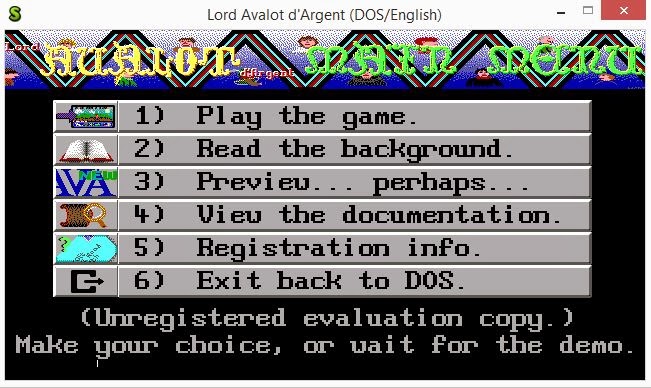
Yes, it will be a summary of my past half year of coding on ScummVM, and practically a summary of my latest additions to the Avalanche engine. I'll go through a list of the most significant and spectacular modifications of the engine and describe them one-by-one. Of course, during that period, there were a lot of bugfixes (Even some bugs of the original were fixed!), and other additions and refactorings, but I won't mention all of them.
So... let's get started! (The pictures will become enlarged once you click on them.)
1. Game of Nim:
2. Ghost Room:
3. Shoot em' Up:
This one may need some description: It's a basic shoot em' up mini-game, where your aim is to shoot the bad guys in the pallets. If a criminal doesn't get hit in the face with a rotten vegetable repeatedly in a certain amount of time, it will escape, and your score decreases. The more guys you keep in the pallets when the time counter reaches 0, the more points you'll get. Also, you gain score for each successful shoot, and lose some if you hit a pedestrian by accident. It's wasn't hard to implement, since I've got everything for the graphics, and just a little bit of effort needed to understand the logic behind the mini-game itself.
4. Help:
Of course, there's also the Help menu. The implementation of it was pretty straightforward, the only difficulty was with the display of the big fonts, but I came over it by time and effort too.
5. Main Menu:
Last but not least, I finally fought with the menu, and got out as a winner. The biggest problem here were the display of the little buttons on it, because they are all drawn together, not one-by-one, but plane-by-plane. It also uses a different display resolution then the rest of the game, but it was really a minor thing after I solved the mystery of the icons. :)
That's all folks! There are still some missing bits of the game, which you can see on the TO-DO section of the engine on our wiki, but I never said I stopped working on them. :)
By the way, I submitted my proposal just today, and hopefully I'll get accepted to this year's GSoC as well so I'll be able to blog about my progress with CGE2 engine soon. Fingers crossed! ;)
Sunday, July 14, 2013
First screenshot
Yes, you are not dreaming! It's true, it's fresh, it's happening RIGHT NOW! Ladies and gentlemen, I proudly present you the very first screenshot of Avalot d' Argent in the holy embrace of SvummVM!
 Okay, the colors really need some adjustments, but apart from that you can see that the background image is successfully loaded and shown accurately. (Of course here will come the GUI in the top and the bottom, but that's not my first priority at the moment.)
Let me tell you a little story about my fight with the bits! Everything started after my latest post: I began to mess around with graphics, and I had some mailing with dreammaster, who helped me a lot and gave me an awesome "Graphics in ScummVM for dummies" guide. By following that, I successfully set up the basics of the screen handling in my engine, what you can find here and here. Graph's initial purpose was to replace the Graph unit from Pascal with a C++ class, so it can work in synergy with Lucerna (the class/unit which is responsible for the screen, keyboard and mouse handling) but as time passes I am slowly getting convinced that it will eventually become a replacement for Lucerna. I don't see it clear yet, time will tell...

 |
| Lucerna |
At the moment Graph is not much more than a wrapper around a Graphics::Surface object.
I got the resolution of the game (what you can find in the header file of Graph) from this function call in the original code:
gd:=3; gm:=0; initgraph(gd,gm,'');
Where 3 stands for EGA graphic driver and 0 means EGALo mode, which is equal to 640x200 screen resolution, 16 colors and 4 screen pages. (I'll bother with these "pages" later.)
I also had some difficulties setting up the color palette to mimic the EGA display, but dreammaster told me a lot about it, and by "borrowing" a little bit of code from Strangerke's Mortvielle engine, I get over with it quite fast too. As you may see it in the screenshot at the beginning of the post, there is still a couple of things to do with it, since the colors in the original game are much more livid, but I'll leave it's fix for later.
The next big deal came right after that. I had a long conversation with fuzzie (who is "substituting" Strangerke, my mentor, while he is on holiday) about the topic and she told me a great deal about EGA displays and how did they handle data.
The function which is responsible for loading the data of each screen is Lucerna::load(). The tricky part was here to notice the loop in the original code (which is fuzzie's merit), and recognize that we have to face the "four plane style". After that, recreating it in C++ was quite easy, and fuzzie helped me a lot with that as well.
Here's the result of it:
f.seek(177);

/*for (bit = 0; bit <= 3; bit++) {
 port[0x3c4] = 2;
 port[0x3ce] = 4;
 port[0x3c5] = 1 << bit;
 port[0x3cf] = bit;
 blockread(f, a0, 12080);
 move(a0, a1, 12080);
}*/

Graphics::Surface background;
background.create(_vm->_graph._screenWidth, _vm->_graph._screenHeight, Graphics::PixelFormat::createFormatCLUT8());

byte backgroundHeight = 8 * 12080 / _vm->_graph._screenWidth; // With 640 width it's 151
// The 8 = number of bits in a byte, and 12080 comes from the original code (see above)

for (byte plane = 0; plane < 4; plane++)
 for (uint16 y = 0; y < backgroundHeight; y++)
  for (uint16 x = 0; x < _vm->_graph._screenWidth; x += 8) {
   byte pixel = f.readByte();
   for (byte i = 0; i < 8; i++) {
    byte pixelBit = (pixel >> i) & 1;
    *(byte *)background.getBasePtr(x + 7 - i, y) += (pixelBit << plane);
   }
  }

_vm->_graph.copySurface(background);

background.free();
As you can see I left the automatically converted loop in a comment. Under that, there's my C++ interpretation of it. You can find the idea behind that loop's core on this page. We guessed it's using four planes because the original loop goes from 0 to 3. So my code does the very same. It first reads the blue component of every pixel: since every bit represent a pixel, we jump in the x loop 8 times every time, and read a byte only after every 8th processed pixel. After that, we loop through the given byte, get the blue component of every pixel, and put them in their place. We do that four times, so every plane (blue, green, red, intensity) is read by the end of the big, plane loop, and finally we got the background image!
The interesting part with this is the following: we read an image with the size of 640x151. That's ok, but after playing the game a couple of times using DOSBox, I clearly saw that it shows the background image (and obviously the whole game too) in a much bigger resolution. I found that the window's size the emulator uses is 640x400. It's very strange since the original Pascal code (as I mentioned above) uses half of that height. To mimic DOSBox's output, I put a little supplement into Graph::copySurface() which copies every line of the background 2 times. After that, my graphical output became almost the same with the one DOSBox produced, but I am still not sure if it's the right way of operation and I am still searching for traces of this "stretching" in the original code.
(P.s.: Thomas: if you read this post and have any clue or suggestion about this resolution-problem, I'd be very glad if you could share it with me in a comment or by mail! :) Is the original output of the game really in 640x400, and if it is, where the "trick" is located in the original code which makes it possible?)
Tuesday, July 9, 2013
End of file handling
Hey everybody!
Sorry for my long absence! The case is that we just renovated our house with my family during the weekend (starting with Thursday), so I didn't have much time to spend with coding. But as we finished with all the work around our house yesterday, here I am again, more tenacious than ever!
I also finished today with the file handling (at least with those parts what don't involve saving/loading current game stance, only loading screens, sprites, texts, etc.). Sometimes figuring out what the Pascal sources are intended to do and converting it to C++ code was a rather tricky thing. (For example the problem with Pascal-style arrays and strings. Especially strings.) But finally I came over it, and now it's done and working. At least I think it does. I made several tests to them, almost trying with all the functions and all their source files (mostly *.AVDs), but the real test will be using them in the final code. (You can check this link, if you'd like to know more about Avalanche engine's file types and other related topics. Written by the original author of the game himself!)
My plans for the following days are these: I'll follow the program flow with the help of the warnings I placed previously in the code during stubbing, and going one by one, I'll implement each and every function in the code. I think the real pain will come with the screen processing units, but I don't think I have anything to fear as long as I have as awesome helpers as fuzzie or dreammaster.
(Sadly, my mentor, Strangerke is on holiday and we can connect only rarely, but luckily SvummVM has a great community, so I don't think that I'll be suffering from the absence of help even for a minute.)
Tuesday, July 2, 2013
Lets begin with file handling!
Yes, lets go!
As I am finished with the stubbing at last (*Phew!*), I can finally start reworking the code and implementing the functions of the classes made during the past two weeks. My plans for today is filling the gaps in the main class Avalot and then following the execution path of the program to get an even better sight of the behavior of it. (Because during the stubbing of the engine I think I understand the connections between the original units pretty well, but there are still blind spots here and there.) After that, I'll jump right into file handling and keep working on it until everything is going fine and smooth.
See you later! I'll report you guys as soon as I progress significantly!
Subscribe to:
Posts (Atom)